Formula Fix-up and Formula Dependencies
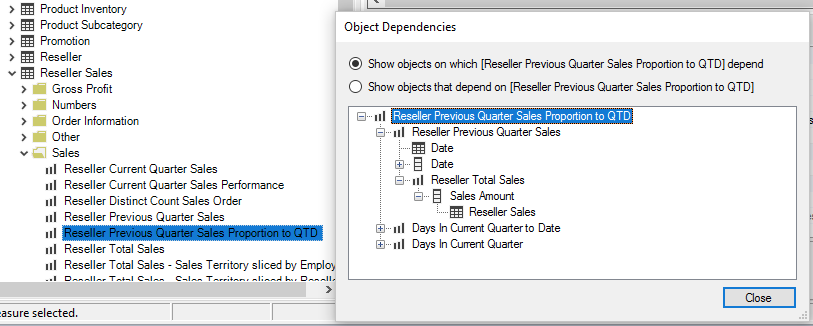
Tabular Editor continuously parses the DAX expressions of all measures, calculated columns and calculated tables in the model and builds a dependency tree of these objects. Formula fix-up uses the tree: when you rename an object, it updates the DAX expressions that reference it. Enable it with Automatic DAX formula fix-up under Tools > Preferences > Tabular Editor > Modeling Operations (File > Preferences in Tabular Editor 2).
Right-click an object in the TOM Explorer and choose Show dependencies... to see its dependency tree.